Expert-built engine · on-device · works offline

Light.
Camera.
Settings.

Your current light, your camera and lens setup, and your custom settings, so you can stop guessing and start shooting with confidence.

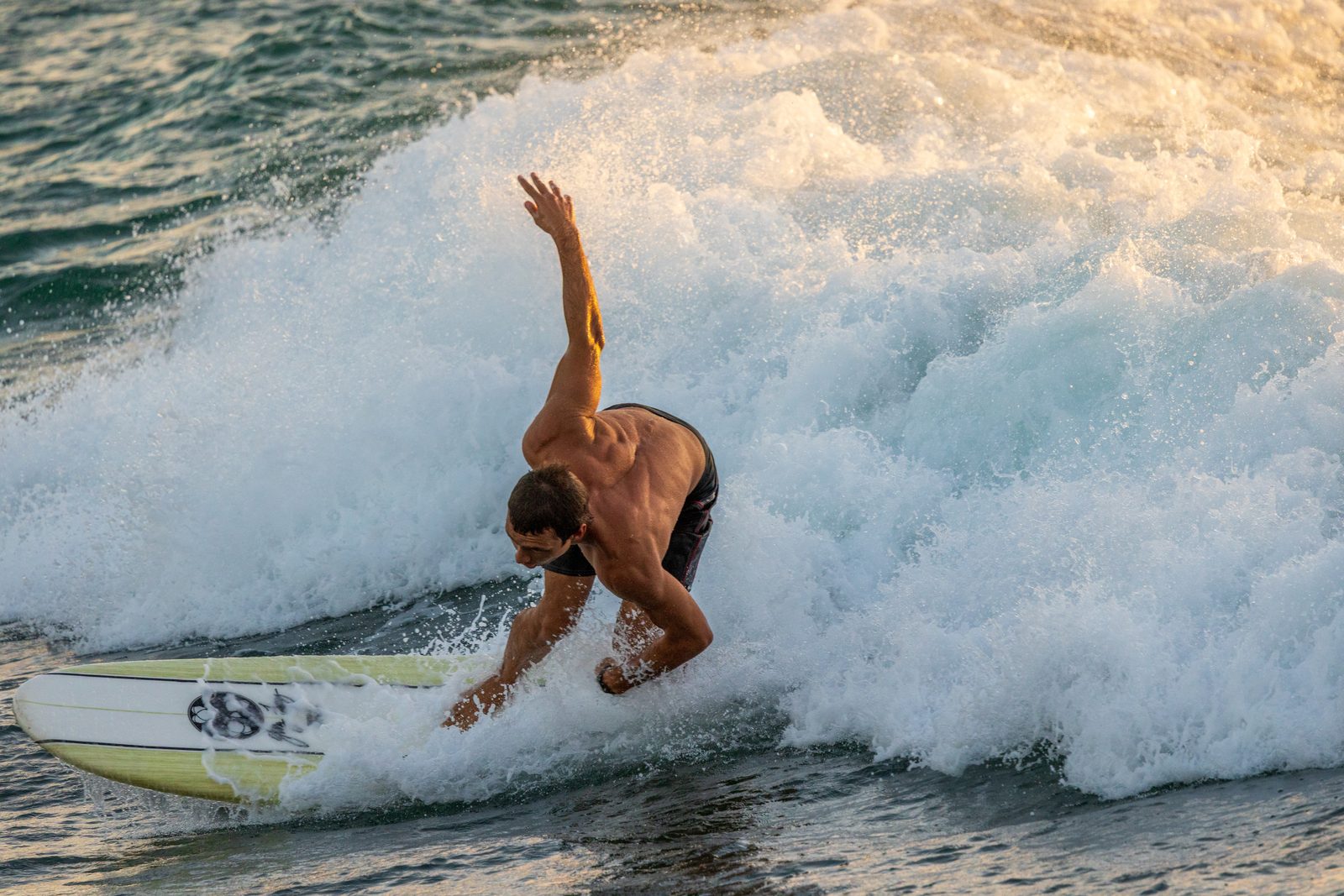
Backlit surfer captured at golden hour with Shutr Scout settings
Canon R5 · 100–500mm · settings by Shutr Scout

One-time purchase · works offline · Canon · Sony · Nikon · Fujifilm · OM System · Panasonic · DJI drones · iPhone

A great shot shouldn't feel like a pop quiz.

You bought a better camera to take better photos, not to enroll in a physics class. But leaving Auto means a steep curve and a lot of missed shots: right place, right light, right gear, no idea what to dial in. In the moment you want to focus on the composition and the moment, not dig up what a cheat sheet or a tutorial said.

Every photo has three phases.

Plan it, capture it, edit it. Shutr Scout lives in the capture, so you nail the exposure while the light's good, and spend your editing time creating a look, not rescuing the shot.

Phase 1

Plan

Choose your subject, location, time, and a composition that tells a story. Your craft, your vision.

Phase 2

Capture

Read the light and dial in the settings to get the shot, adjusting as conditions change.

Shutr Scout's phase
Phase 3

Edit

Import, select, and finish color, contrast, and crop, creating a look, not fixing exposure.

Four quick inputs. Complete settings. Instantly.

1

Pick your gear

Your exact camera and lens, or a built-in-lens camera, drone, or iPhone. Entered once, remembered.

2

Answer a few questions

Subject, motion, lighting, and what matters most for the shot.

3

Measure the light

Measure the actual light with a quick reading, or pull it from a reference photo.

4

Get your recipe

A complete, camera-specific settings card, with one-tap Quick Fixes to fine-tune.

This is the actual app.

Pick your gear, answer a few quick questions, and measure the light, then get your card.

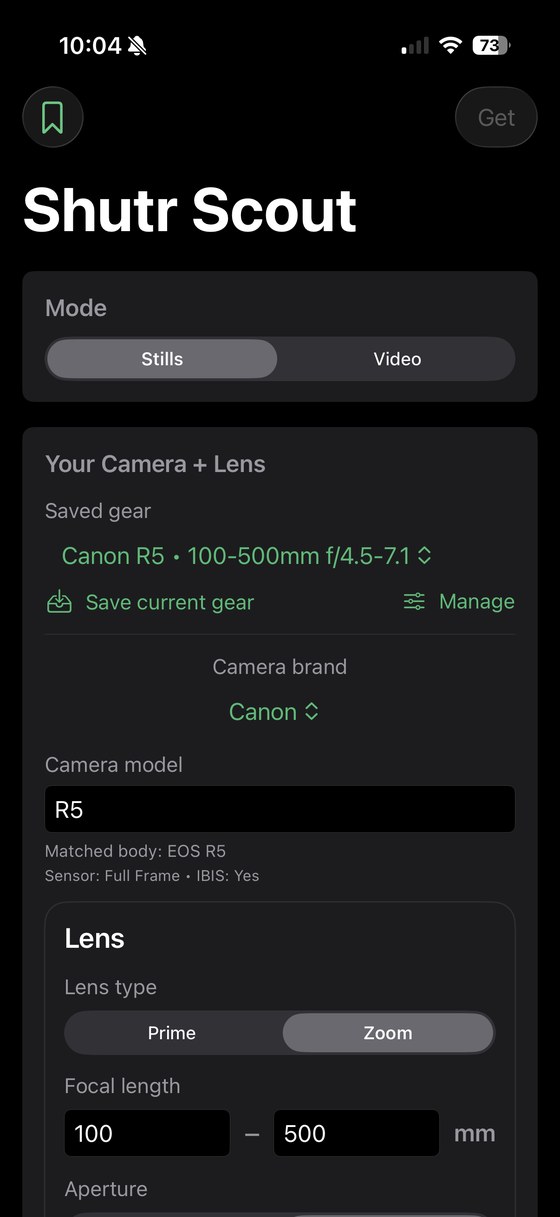
Shutr Scout, choose your camera, lens and mode
Your gear & modeCamera, lens, stills or video.
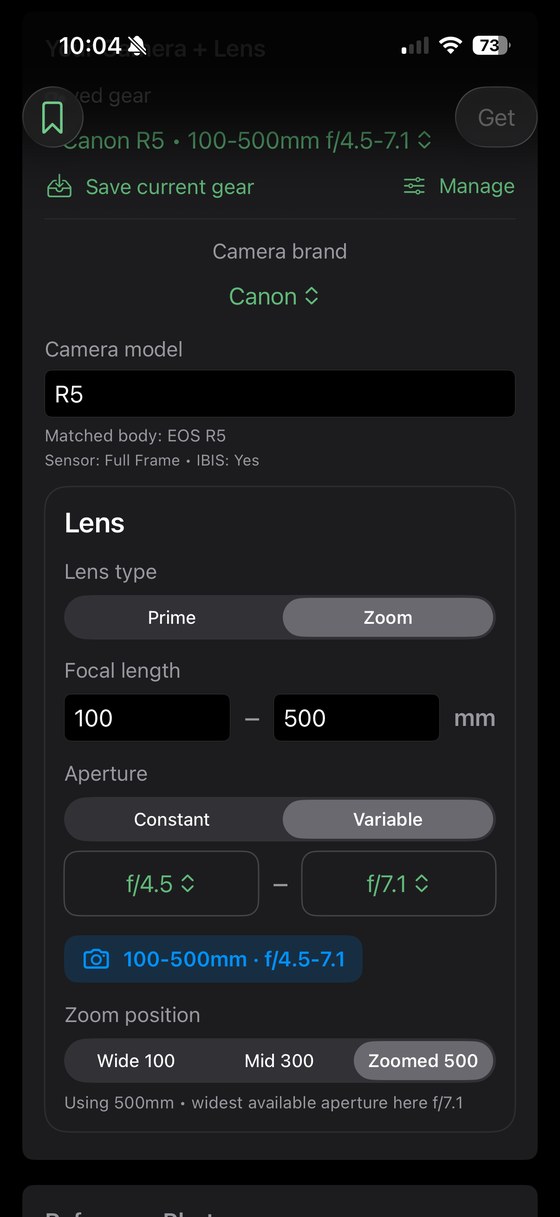
Shutr Scout, structured lens entry
Structured lens entryZoom range, aperture, focal position.
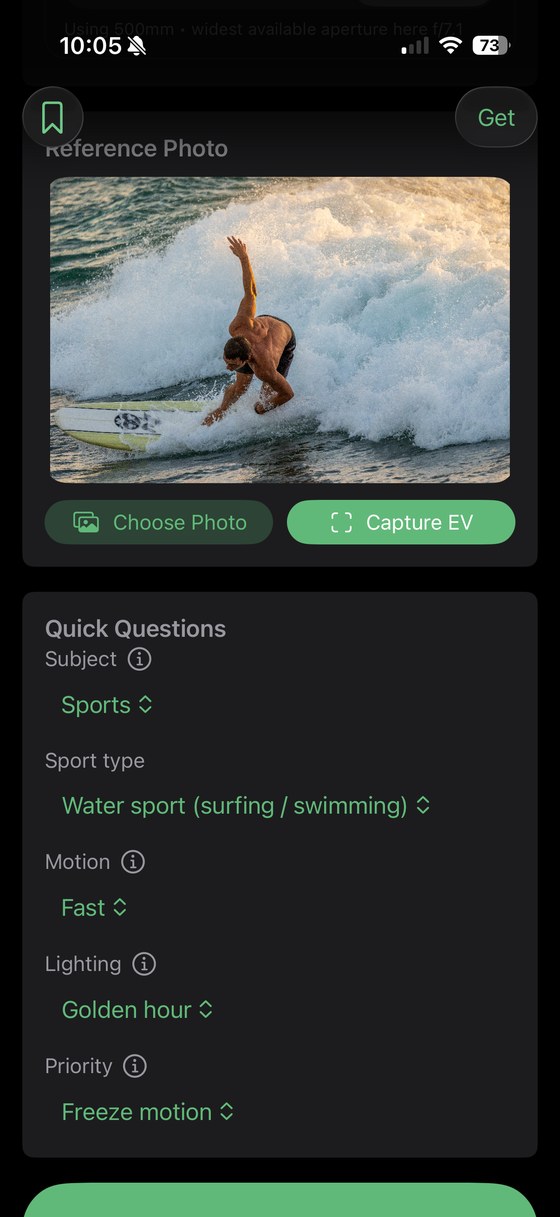
Shutr Scout, reference photo and quick questions
Light & quick questionsThe exact inputs behind the card below.

Not a chatbot.
A calibrated exposure engine.

Shutr Scout's recommendations are deterministic, built from real photographic rules and generated entirely on your device. No prompt, no signal, no waiting. From those exact inputs (a backlit surf session at golden hour, a variable-aperture super-tele, fast subjects), here's the card it produced:

  • Reads your gear and the actual metered light, not "sunny" or "night."
  • A complete recipe: mode, shutter, aperture, ISO, AF, drive, WB, format, metering, stabilization.
  • Quick Fixes brighten or darken while preserving your chosen look.
  • The engine works fully offline. (The optional Learn More explainers use the internet.)
SHUTR SCOUT · ADVANCED CAMERA SETTINGS
Canon R5 · 100–500mm f/4.5–7.1
Sports · Water sport (surfing / swimming) · Daylight
Capture EV EV 13.9
Camera modeShutter Priority (Tv)
Shutter1/1600
Aperturef/7.1
ISO500
EV recommendation14.0
AutofocusAI Servo
AF areaZone AF
Drive modeHigh-Speed Continuous
White balanceDaylight (5500K)
FormatRAW
MeteringEvaluative
StabilizationOn
Quick Fixes
Brighten 1 stopISO 500 → 1000
Darken 1 stopISO 500 → 250
Action trackingAI Servo + burst

Everything your camera advisor should do.

One workflow, complete settings, calibrated to your gear and the light, on-device.

Knows your exact gear

170+ camera bodies, structured lens entry, and auto-handling for built-in-lens cameras, DJI drones, and iPhone.

Measures the light

Measure the light where you stand, or calibrate it from a reference photo.

Quick Fixes

One-tap brighten or darken that preserve your look: freeze motion, low noise, motion blur, shallow depth of field, and more.

Understand your photo

Histogram guidance so you can read and fix exposure in the moment, and protect your highlights.

Stills & video

Complete settings for both, on one toggle, including DJI drone settings.

On your wrist

Recommendations appear live on your Apple Watch and Smart Stack. Glance and dial in.

🖫

Save & share

Keep your setups and share the settings card; cached explainers open instantly, even offline.

Learn More

Optional explainers and composition tips when you're ready to learn. (Uses the internet.)

Every subject

Sports and sub-types, astro, moon, fireworks, long-exposure, portraits, landscapes, events.
Built for photographers who shoot manually, and want the shot now.

The Upgrader

Just moved from a phone or Auto to a real camera. Overwhelmed, and tired of missing shots.

The Occasional Shooter

Owns nice gear, shoots a few times a year, and can't afford to fumble the recital, vacation, or fireworks.

The Cross-Genre Shooter

Confident at landscapes, lost at sports, astro, or video. One app that covers all of it.

The Drone Owner

Moving off Auto on a DJI, with settings tuned to a fixed or variable-aperture drone.

One price. Bought once. Yours forever.

The app is a one-time purchase, no subscription for the app itself, and no feature locked behind a paywall.

Shutr Scout
$19.95 once
One-time purchase · works offline · every camera you shoot
The complete on-device settings engine
Every subject, sports sub-types, astro/moon/fireworks
Quick Fixes · stills & video · DJI drones
Apple Watch · Save & Share · works fully offline
Optional: Learn More, the AI explainers & composition tips. Your first 10 are free, then keep it for just ~$5/year. The rest of the app never needs a subscription.
See full pricing

Questions, answered.

Is there a subscription? +

The app is a one-time purchase, buy it once and every feature is yours: the full settings engine, EXIF + live metering, all subjects, Quick Fixes, video, drones, Apple Watch, Save & Share. The only optional recurring item is Learn More (the AI explainers and composition tips), which runs on our servers: your first 10 are free, then it's just ~$5/year if you want to keep it. Nothing else is behind a subscription.

Does it really work offline? +

Yes, the recommendation engine runs entirely on your device and needs no connection to generate settings. The one part that uses the internet is the optional Learn More explainers. We're precise about that: the engine is offline and on-device; Learn More is the optional online layer.

Is this AI? +

The settings engine is not AI guesswork, it's deterministic, built from real photographic exposure rules, so the same inputs always give the same trustworthy recipe. Learn More does use AI to generate its plain-language explainers and composition tips. That's the honest split.

Which cameras does it support? +

170+ bodies across Canon, Sony, Nikon, Fujifilm, OM System, Panasonic and more, plus built-in-lens compacts, DJI drones, and iPhone. Enter your gear once and it's remembered.

Does it do drones and video? +

Both. Shutr Scout gives complete settings for stills and video on one toggle, and handles DJI drones (including fixed and variable-aperture models) with settings appropriate to the platform.

When can I get it? +

Shutr Scout is heading into beta now, with launch planned for Fall 2026. Join the waitlist below to be notified the moment it's live, waitlist members get early access.

Be the first to shoot smarter.

Join the waitlist to get notified at launch and receive early access.

No spam. Just a note when Shutr Scout launches.